Projector Maintenance
Routine Art Projector Maintenance is necessary for a Healthy Machine.
POP!!!
Great, there went the bulb! With a little art projector maintenance this might have been avoided!
.
The maintenance of an art projector will help to keep it in tip-top shape, and it's not all that hard to do.
You can avoid disasters like the one above by being diligent in your projector maintenance.
It's really easy to take care of your art projector.
There are really just 4 parts of the projector that you'll need to be the most concerned about...
- the bulbs
- the lens
- the mirror
- the fan motor
The Bulbs
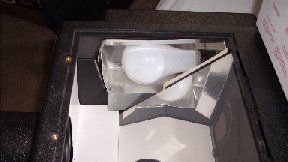
The bulbs in a quality art projector are 250 watts, and there are 2 of them. Because of this high wattage these bad babies can get devilishly HOT!
You don't want anything to get on those bulbs that would cause them to overheat, so it's vitally important to keep them free of dust, moisture, and oils.
The oils from your fingers could cause a hot spot on the bulb causing it to overheat and shatter. So always handle projector bulbs with a clean, dry piece of cloth, or a clean cloth glove.
If you do touch the bulb, wipe it off as much as you can.
To remove the dust off of the bulb use a soft, clean, dry cloth. You can reduce the amount of dust that gets into the machine by keeping it covered when it's not in use.
The Lens and Mirror
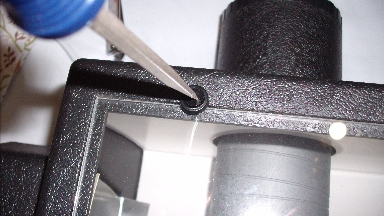
You wouldn't believe the crud that's in the air.
Unless you live on a remote mountain, or have a topnotch air cleaner working 24/7, these pollutants are collecting on everything in your house, and that includes the lens of your projector.
It's the lens that makes the cost of a good projector so high. It's a precision instrument. Careful handling of the lens while doing your projector maintenance is paramount if you want it to give you many years of service.
If you wear glasses you already have experience with the effects of these pollutants. The way you clean the lens in your projector is going to be the same as the way you clean your glasses
I use a cleaner that is safe for eyeglass lenses. You can usually pick this cleaner up at a shop that sells eyeglasses. Additionally, you might pick up a box of special cleaning cloths made especially for eyeglass lenses. They come in a box that looks like a box of tissues. They're made out of special cotton fibers, and will not scratch the lens. Just use one, and then throw it away.
Here's how I clean my projector's lens and mirror...
I take the unit and place it on my bed.
No … not so it can take a nap!
I tend to live by Murphy's law that states...“If anything can go wrong, it will!” As sure as the sun will rise, I'll drop that lens. So as a safety measure, I put my projector on a nice, soft bed. (I never said projector maintenance wasn't scary).
You can use any surface that suits you; just make sure that if you were to drop it, it wouldn't cause any damage.
First, remove the lens. This is usually done by unscrewing it from the projector. Don't take my word for it though, read your manual and become familiar with your projector, as your projector might be a different model than mine.
Next, spray the lens cleaner on the cleaning cloth...not directly on the lens. Wipe the lens gently.
You'll need to get into the projector to clean the mirror. After gaining access to the mirror, use the same procedure as you used for cleaning the lens (except don't take it out of the unit): spray the cloth and wipe
Be gentle!
You do not , under any circumstances, want to move that mirror... unless you feel like trying to get it back into it's correct angle.
Subscribe to my Newsletter